
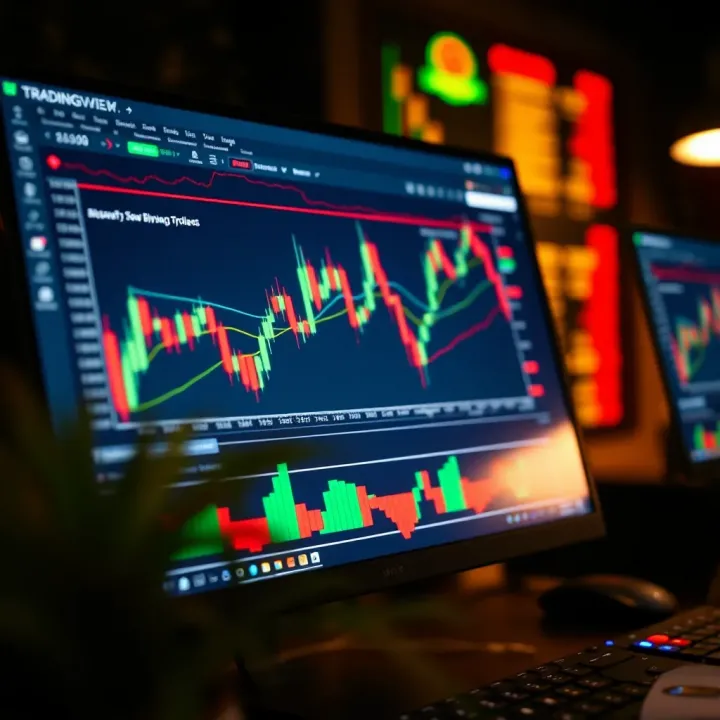
Using TradingView for Smart Binary Options Trading
📈 Learn how to use TradingView for smarter binary options trading in Nigeria 🇳🇬. Discover chart analysis, signals, strategies & risk tips.
Edited By
James Thornton
TradingView has quickly become a favorite go-to tool for traders around the world, including those in Nigeria. If you’ve ever felt bogged down by confusing charts or missed signals in the heat of market moves, this platform promises a cleaner, smarter way to approach your trades.
At its core, TradingView is more than just a charting platform; it’s a community where traders share insights, develop strategies, and track markets in realtime. Whether you’re eyeing cryptocurrencies, stocks listed on the Nigerian Exchange (NGX), or forex pairs, this tool places a powerful set of features right at your fingertips.
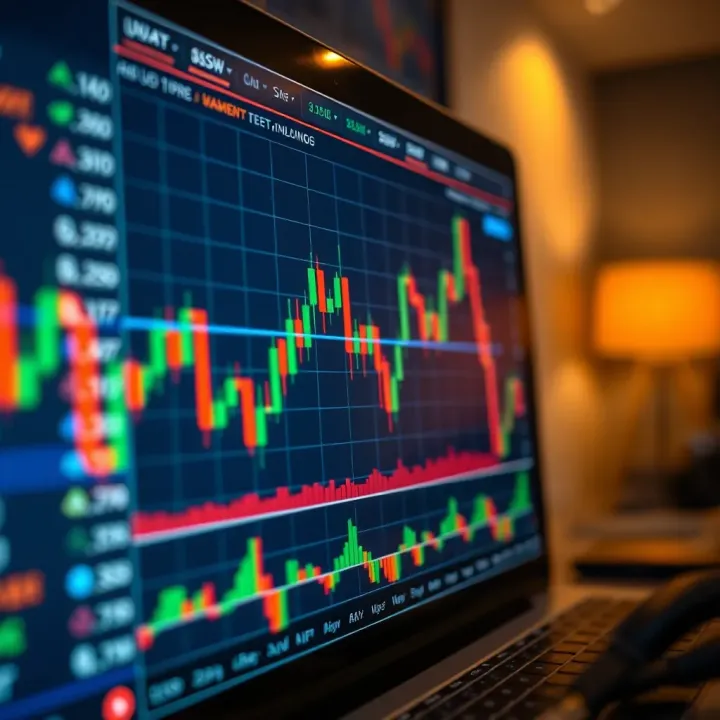
This guide is designed to walk you through the essentials of TradingView, showing you not only how to read the charts but also how to customize indicators, set alerts, and create strategies that suit your trading style. For Nigerian traders, understanding these elements can mean grabbing opportunities others miss—especially in fast-moving markets.
Throughout this article, we’ll cover:
The basic layout and navigation of the TradingView interface
How to use various chart types and technical indicators
Setting up custom alerts to stay ahead of market moves
Using TradingView’s strategy tester to gauge potential trades
Tips specific to markets relevant in Nigeria, like oil prices and forex
Good trading isn’t just about seeing the markets—it’s about seeing them clearly and acting with confidence.
By the end, the hope is you’ll feel equipped to use TradingView as a regular part of your trading routine, improving your decisions and managing risks better. Let’s jump in.
Understanding the basics of TradingView is essential before diving into its tools and features. TradingView acts as a gateway for traders and investors aiming to analyze market movements effectively. Its role in trading is not just about providing charts but offering a comprehensive platform that combines data visualization, social interaction, and strategy development. For Nigerian traders, especially, having a platform like TradingView can mean the difference between missing market trends and capitalizing on them.
TradingView is essentially a cloud-based charting platform that offers real-time market data and advanced analytics tools. Unlike traditional trading software tied to specific brokers, TradingView works independently and supports numerous asset types such as stocks, forex, cryptocurrencies, and commodities. The platform's usefulness lies in its flexibility; you can jump in through a web browser without the need for heavy downloads or constant updates. For example, a Nigerian trader monitoring both local equities like Dangote Cement and global assets such as oil futures can use TradingView to track price action simultaneously.
TradingView appeals to a wide spectrum of market participants. This includes retail traders, professional investors, market analysts, and even educators. What makes it especially relevant to Nigerian users is its accessibility and the inclusion of global market instruments alongside regional assets. Traders who want to blend local market nuances with international trends find TradingView particularly useful. For instance, keeping an eye on currency fluctuations between the Nigerian naira and the US dollar while evaluating stock performance in regions affected by global commodity prices becomes much more manageable on this platform.
One big draw is how user-friendly TradingView is. The interface doesn't intimidate newcomers, yet it has plenty of sophisticated features for experienced traders. Charts load swiftly and respond well, even on less powerful devices, which is a plus where internet speeds aren't always top-notch. Traders can easily customize their dashboard, choose their preferred chart types, and apply indicators with just a few clicks. This simplicity helps maintain focus on trading decisions, avoiding the fuss that often comes with complicated software.
Another bright spot is TradingView's active community feature. Users don’t just analyze markets in isolation; they share ideas, strategies, and insights with others around the globe. This social aspect is crucial because it introduces different perspectives that might otherwise be missed. For example, Nigerian traders can post analysis related to the Lagos Stock Exchange and receive feedback from international traders, opening up a two-way street of learning. The platform includes tools for publishing setups and even chatting with others in real-time, fostering a collaborative trading environment.
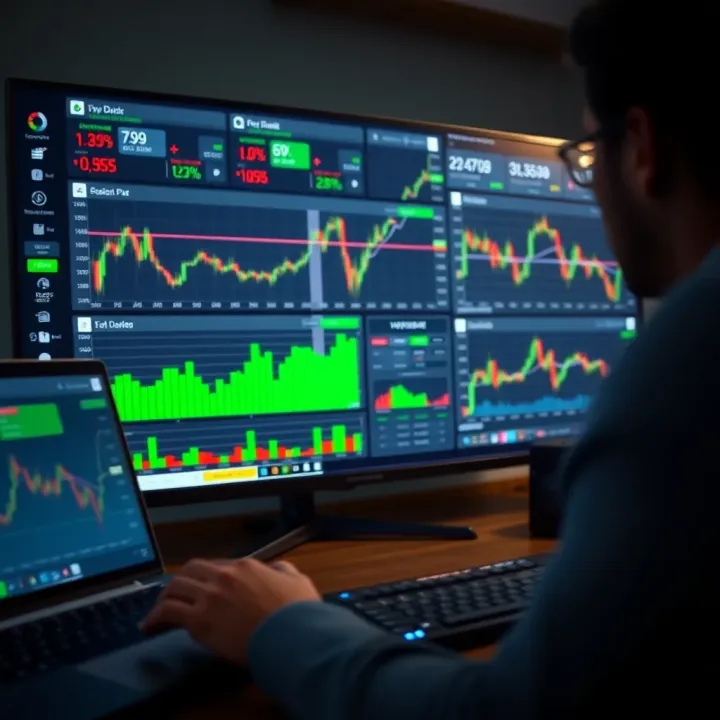
TradingView’s community is more than just chatter – it’s a real-time think tank where traders refine their strategies and test market assumptions together.
By understanding these core aspects of TradingView, traders can better appreciate how this tool fits into their daily workflow and why it’s become a favorite worldwide and particularly among Nigerian investors looking for a versatile and collaborative trading platform.
TradingView’s charting features are the heartbeat of its platform, letting traders read the markets’ pulse in real time. Getting to grips with these tools isn’t just helpful—it’s essential for anyone who wants to make informed decisions without second-guessing. Think of charts like the trader’s map; the clearer the map, the easier it is to navigate volatile markets. From spotting entry points to managing risks, the right charting tools can uncover opportunities that would otherwise remain hidden in a mess of numbers.
Candlestick charts are the bread and butter for many traders, and for good reason. They pack a lot of info into a simple visual format—showing the opening, closing, high, and low prices of an asset for each time period. Each "candle" tells a story: a green candle might hint at buyer strength, while a red one points to seller dominance. For example, Nigerian traders watching the NGX (Nigerian Exchange) can use candlesticks to identify daily price momentum and potential reversals. Candlestick patterns like the "hammer" or "doji" can signal when it’s time to buy or sell, helping traders act quickly before the market shifts.
Line charts strip things back to basics by connecting closing prices with a smooth line. This simplicity offers a quick snapshot of trends without getting bogged down in noise. It’s a good fit for traders who prefer a clear view of direction rather than the minute details of price swings. Bar charts, meanwhile, give a bit more depth than line charts. Each bar shows the open, high, low, and close—similar to candlesticks but with a different look. Nigerian investors tracking commodity prices like crude oil may turn to bar charts to get a straightforward sense of price range and volatility over time.
Renko and Heikin Ashi charts focus on filtering out noise to spotlight clearer trends. Renko charts build blocks only when price moves a certain amount, which helps traders ignore minor fluctuations and focus on big moves. This is especially handy in choppy markets like forex, where small ups and downs can be misleading. Heikin Ashi charts take averages to smooth price action and make trends easier to spot. For instance, a trader following the USD/NGN currency pair might use Heikin Ashi to avoid getting shaken out by short-term jitters and stick with the bigger trend.
One of TradingView’s biggest strengths is its wide array of indicators and overlays. Adding tools like Moving Averages, RSI, or Bollinger Bands directly onto your charts can transform a simple price graph into a powerhouse of insight. For Nigerian traders, this might mean layering a Simple Moving Average (SMA) on the NGX index chart to track average market momentum or adding volume indicators to spot when big players are active. Overlays help highlight trends while indicators provide signals to nail entry and exit points—kind of like having a seasoned guide whispering advice in your ear.
Time frames are where customization gets personal. TradingView allows you to zoom in from a 1-minute candle to monthly views—or anything in between. Adjusting these time frames can reveal different market stories: short-term charts are perfect for day traders chasing quick moves, while longer time frames suit investors who want to hold on through ups and downs. For example, a trader in Lagos might watch 15-minute charts during trading hours to catch fast shifts, but also keep an eye on weekly charts for the broader trend.
TradingView understands that every trader has their style, which is why saving chart layouts is a must-know feature. After you’ve tailored your chart with chosen indicators, colors, and time frames, saving the setup means you’re just a click away from your preferred view whenever you log in. Nigerian traders juggling multiple assets or strategies can switch between saved layouts quickly, avoiding the hassle of reconfiguring charts over and over during a busy trading day.
Getting comfortable with chart types and customization tools on TradingView isn’t just for experts. Even beginners can pick up practical skills that make a real difference. By understanding how each chart reveals different angles of market data, you’re already a step ahead on smart trading.
In the end, the right charts paired with thoughtful customization turn TradingView from a simple tool into your trading partner—helping you stay sharp, spot opportunities, and manage risks wherever you are.
Technical indicators are the bread and butter when it comes to trading with TradingView. They help transform raw price data into actionable signals, making complex market moves easier to read. For traders, especially those navigating the Nigerian market or cross-border assets, understanding how to apply these indicators properly can be the difference between chasing shadows or catching solid trades. This section will break down both the ready-made options TradingView provides and how you can customize indicators for your own edge.
Navigating the sea of indicators on TradingView can be tricky, but three staples have stood the test of time as reliable guides: Moving Averages, RSI, and Bollinger Bands. Let’s see why they matter and how to use them.
Moving averages smooth out price data to highlight trends by averaging past prices over a set period, like 50 or 200 days. They’re like the trader’s rearview mirror — not perfect but very useful to gauge the direction and momentum of the market. A rising moving average generally means prices are climbing, while a declining average suggests the opposite. Traders often watch for crossovers: when a short-term average crosses above a longer-term one, it can signal a buying opportunity, and vice versa.
In practice, suppose you’re watching the Nigerian Stock Exchange and notice the 20-day moving average crosses above the 50-day; this could tell you the stock’s momentum is gaining steam. It’s also great for spotting support and resistance, where prices tend to bounce.
The RSI shines when you need to spot if an asset is getting hot or cooling off too quickly. It swings between 0 and 100, measuring the magnitude of recent price changes, revealing overbought or oversold conditions. Above 70, the asset might be overbought, hinting at a coming pullback; below 30, oversold territory suggests potential buying momentum.
For example, if you’re tracking crude oil prices on TradingView and see RSI hitting 80, you might think the price has run too fast and look for a reversal or correction.
These bands give a dynamic range around the price by placing an upper and lower boundary a couple of standard deviations away from a moving average line. The idea? Prices usually bounce between these bands. When the price hits the upper band, it could be overextended, and the lower band signals oversold conditions.
Imagine you spot a stock on the Johannesburg Stock Exchange dancing near the lower Bollinger Band with shrinking volume — it might be setting up for a bounce, a neat signal for a trader ready to take a calculated risk.
While TradingView’s built-in tools cover many basics, being able to tailor indicators makes your trading strategy sharper and more suited to your style or the specific market conditions.
Pine Script is TradingView’s own straightforward programming language designed for creating custom indicators and strategies. It’s not complicated and lets traders add personal touches, like blending multiple data points or creating alerts based on unique conditions.
For instance, you could write a Pine Script that triggers an alert only when the RSI crosses above 50 while the 20-day moving average turns upward, giving you a more filtered signal that matches your strategy.
pinescript //@version=4 study("Custom RSI and MA Alert", overlay=true) rsiVal = rsi(close, 14) ma20 = sma(close, 20) plot(rsiVal, color=color.blue) plot(ma20, color=color.orange) alertcondition(crossover(rsiVal, 50) and rising(ma20), "Entry Signal", "RSI crossed 50 and MA20 is rising")
#### Examples of Useful Custom Indicators

Traders worldwide have shared many creative custom scripts on TradingView, such as:

- **Volatility-weighted Moving Averages:** Adjusts moving averages based on current volatility rather than fixed periods—handy for markets like Forex where volatility fluctuates.

- **Composite Momentum Indicators:** Combining several momentum indicators (like MACD, RSI, and Stochastic) into one to reduce false signals.

- **Market Sentiment Overlay:** Uses volume and price action to gauge bullish or bearish sentiment strength dynamically.

By experimenting with Pine Script and custom indicators, Nigerian traders can adapt strategies to local market quirks or international markets they follow closely. This flexibility makes TradingView not just a charting tool but also a platform to truly tailor your trading edge.

> Good traders don’t just rely on indicators; they use them as part of a bigger picture, combining signals with sound judgment and experience.

Mastering indicators on TradingView can elevate your analysis and help you spot better trades. Whether you stick to the built-in classics or build your own custom tools with Pine Script, understanding these elements is key to smarter trading.

## Setting Up Alerts and Notifications

Staying on top of market moves without being glued to the screen is crucial for every trader. Alerts and notifications on TradingView come in handy by letting you know when key events happen, so you don’t miss out on trading opportunities. Setting these up properly can save time and reduce emotional decision-making, especially in volatile markets like Nigeria’s stock or forex scenes.

### How Alerts Work on TradingView

#### Types of alerts available

TradingView offers a range of alert types designed to catch different market behaviors. You can set alerts for price levels, indicator values, or even drawing tools like trend lines. For instance, you might want an alert to beep when the Nigerian Exchange Group index crosses a resistance level or when the RSI hits an overbought zone.

These alerts can be delivered via app pop-ups, emails, or even SMS if you subscribe to their service. This flexibility means you can choose the method that best fits your trading routine.

#### Trigger conditions

Alerts can be triggered by specific market conditions you define. Common triggers include crossing above or below a certain price, indicator threshold breaches, or indicator crossovers like a moving average crossover.

Let’s say you want to be alerted when the USD/NGN currency pair breaks above 460. You set this trigger condition, and as soon as the price moves above it, TradingView sends a notification. This system helps you react fast, especially when you’re watching multiple assets or markets.

### Practical Uses for Alerts

#### Monitoring price movements

Price movement alerts free you from staring at charts all day. Imagine you are tracking MTN Nigeria’s stock price and want to buy if it dips below ₦170. Instead of refreshing prices constantly, you set an alert for that level. The moment the condition is met, you get a notification and can act without delay.

This is especially useful during market hours, where even a few minutes can mean the difference between profit or loss. Alerts also aid in managing stop-loss levels, ensuring your risk controls stay in place without manual monitoring.

#### Reacting to indicator signals

Beyond prices, alerts help you use technical indicators smartly. For example, setting an alert when the MACD line crosses the signal line can guide you on potential trend reversals without having to check charts every minute.

In practice, if you trade oil futures or Nigerian equities, triggering alerts on indicators like Bollinger Bands squeeze or RSI divergence lets you jump on early signals. This means you can catch opportunities or exit bad trades promptly, boosting your trading efficiency.

> **Tip:** Combine alerts for price and indicators to create robust triggers. For example, set an alert when price breaks resistance _and_ RSI is below 70 for better timing.

Using TradingView’s alert functions strategically reduces guesswork, keeps you informed in real time, and ultimately leads to smarter trading decisions, especially when juggling local and international markets.

## Social Features and Community Engagement

Social features on TradingView are more than just a bonus; they form a core part of the trading experience. Engaging with the community helps traders exchange ideas, spot market trends fast, and gain new perspectives. This interaction can be the difference between sticking to stale strategies and adapting to ever-changing market conditions.

> Staying plugged into a network of traders enriches your decision-making with real-time insights and tested shortcuts.

### Sharing Ideas and Strategies

#### Publishing Trading Ideas

TradingView lets users publish their chart analyses or trading ideas directly on the platform. This feature is powerful because it turns individual insights into shared knowledge. When you publish, others can see your annotations, technical setups, and target prices, which encourages feedback and discussion. For example, a trader might post a potential breakout setup on Nigerian equities like MTN or Dangote Cement, inviting commentary or alternate viewpoints from fellow users. This exchange sharpens everyone’s understanding of the market and helps avoid tunnel vision.

#### Following Experienced Traders

Following seasoned traders on TradingView provides a front-row seat to expert strategies in action. You get notified when they post new ideas or update their analysis, allowing you to learn and even mirror some of their moves if it fits your style. Nigerian traders can benefit by following those who specialize in local markets or global forex pairs sensitive to naira fluctuations. This dynamic keeps you in the loop with practical approaches, saving time on guesswork and building your trading intuition.

### Learning from the TradingView Community

#### Discussion Forums and Chats

Discussion forums and live chats on TradingView foster active conversation around market moves. Unlike isolated analysis, these forums enable instant exchange of thoughts on price behavior, news events, or indicator tweaks. Joining these conversations helps traders spot errors in reasoning or pick up on subtle signals missed before. For instance, a timely discussion about oil price volatility can impact Nigerian oil stocks, giving attendees early warnings or alternative trade ideas.

#### Educational Content and Tutorials

TradingView also hosts a wealth of tutorials and educational content crafted by both professionals and community members. These resources break down complex topics like using Pine Script for custom indicators or combining Fibonacci levels with RSI for better entries. For Nigerian traders still getting their feet wet, tutorials on integrating local market data or setting up alerts become especially valuable. Continuous learning through these materials keeps skill levels sharp and adaptable.

In essence, the social features of TradingView turn the platform into a living learning environment. By sharing, following, engaging, and studying within this community, traders sharpen their edge and stay a step ahead in the fast-paced financial markets.

## Comparing TradingView with Other Trading Platforms

When it comes to choosing the right trading platform, understanding where TradingView fits compared to others is essential. Traders need to make decisions based on how well a platform supports their trading style, the tools offered, and cost-effectiveness. TradingView has carved out a niche by combining advanced charting capabilities with social features, but it doesn't exist in a vacuum. Comparing it to platforms like MetaTrader 4/5, ThinkorSwim, or NinjaTrader can help traders spot what fits their needs best and avoid surprises down the road.

### Strengths of TradingView

#### User interface and tools
TradingView stands out for its clean, intuitive interface that doesn’t overwhelm new users but still offers powerful charting tools for seasoned traders. It's designed with drag-and-drop simplicity, allowing users to customize charts rapidly—adding indicators or drawing trend lines is straightforward. Unlike some trading platforms cluttered with a variety of confusing menus, TradingView keeps everything accessible. For example, adding Bollinger Bands or RSI takes just a couple of clicks, and the platform supports over 100 built-in indicators.

Practically, this means you don’t need to fiddle around in obscure menus; you get your analysis tools fast and reliable. Many traders find this helps them spot market moves quicker without getting bogged down in technical fiddling. The Pine Script editor further enhances this with the ability to create custom indicators or alerts, offering deeper personalization.

#### Cross-platform accessibility
One of TradingView’s major draws is how easy it is to use across devices. Whether you’re on a PC at work, a laptop at home, or your phone during a commute, TradingView offers a seamless experience. The web-based platform requires no downloads, so updates and new features roll out instantly.

This universal accessibility is a real game changer, especially for traders who need to react quickly. Imagine spotting a trend reversal during a lunch break on your mobile app and setting an alert to catch a better entry point later on a desktop—that fluidity is uncommon with more rigid systems. Platforms like MetaTrader often require software installation and can be less flexible when switching devices.

### Limitations to Consider

#### Subscription costs
TradingView isn't entirely free, and while a basic plan covers many needs, advanced tools, more alerts, or extended data access require paying for Pro, Pro+, or Premium plans. These subscriptions vary from about $15 to $60 per month, which can add up, especially for new traders or those in locations where trading margins are tight.

For instance, accessing multiple charts at once, real-time market data for some exchanges, or extended historical data may only be available on paid tiers. Traders need to consider whether the fee fits their budget or if they get enough value from the features unlocked. Some platforms offer free software with brokerage accounts but may lack TradingView’s charting finesse.

#### Data coverage differences
While TradingView covers a broad range of markets—from stocks and crypto to forex and futures—there are gaps in some regional data, including Nigerian stock markets where not all tickers have real-time feeds. Often, real-time data for certain exchanges must be purchased separately or come only with specific subscription levels.

This means traders focusing on local markets may find TradingView less comprehensive in that area compared to dedicated local platforms or brokers' proprietary tools. For example, Nigerian traders tracking NGX may have to rely on additional sources for timely price updates. It's important to assess the data relevance for your target assets before committing fully to TradingView.

> Keep in mind, no trading platform perfectly meets every need. Understanding TradingView’s strong points alongside its limitations gives you the clarity to pick tools that align with your trading goals and market focus.

## How Nigerian Traders Can Benefit from TradingView

TradingView is a powerful tool that Nigerian traders can lean on to boost their trading game, both locally and internationally. For traders in Nigeria, especially those dealing with the dynamic Lagos Stock Exchange or dabbling in forex and commodities, TradingView offers a window to markets that aren't always easy to access or analyze with traditional tools.

### Accessing Local and Global Markets

#### Nigerian stock market data

One of TradingView’s strong points for Nigerian users is its access to local stock market data, including companies listed on the Nigerian Exchange Group (NGX). This means traders get real-time price updates for local stocks like Dangote Cement and Zenith Bank, allowing them to track market moves closely. It’s handy during high-volatility periods when split-second decisions can mean the difference between profit and loss.

Moreover, TradingView’s charting tools help users spot trends or patterns right on NGX stocks, assisting investors in making more informed calls. For example, if an investor sees a steady increase in volume alongside price moves in a telecom stock, it might signal growing interest worth exploring.

#### International asset tracking

However, Nigerian traders aren’t limited to their local market. TradingView opens doors to global exchanges, offering live data on US stocks, commodities like crude oil, and forex pairs. This is critical because many Nigerian traders hedge risks or diversify portfolios by tapping into international markets.

Imagine a trader monitoring both Naira-dollar exchange rates and Brent crude oil prices simultaneously, because Nigeria’s economy is intertwined with these assets. TradingView allows for watching these assets in a single dashboard, making it easier to relate economic events abroad with local market movements.

### Adapting Strategies with Real-Time Data

#### Using alerts for quick decisions

Real-time alerts are a lifesaver for traders who can't stare at screens all day. With TradingView, Nigerian traders can set alerts on specific price levels, indicator crossovers, or volume changes. These alerts notify the trader immediately through app notifications or emails.

Picture this: You set an alert for when GTBank’s stock price crosses your target buy point, or when the RSI for a forex pair dips below the oversold threshold. Instead of missing these signs due to busy schedules or unreliable market updates, the alert triggers right away, allowing swift action.

#### Analyzing currency and commodity markets

Given Nigeria’s heavy reliance on oil and foreign exchange markets, TradingView’s real-time data on currency pairs like USD/NGN and commodities such as oil and gold are invaluable. Traders can analyze patterns, spot trends, or apply technical indicators to anticipate price movements.

Take crude oil prices — they heavily influence Nigeria’s economy and currency strength. When oil prices spike, the Naira often gains value, and TradingView charts allow traders to see this correlation clearly and adjust their strategies accordingly.

> For Nigerian traders, integrating local insights with access to global market data via TradingView isn't just convenient — it's essential for staying ahead in a fast-changing trading scene.

By tapping into TradingView’s local and international data and using its alert system, Nigerian traders can make smarter, faster decisions, proving that this platform is a tailored fit for their trading style and financial goals.

## Getting Started with TradingView

Jumping into TradingView might seem a bit overwhelming at first, but setting it up right from the beginning is a game changer. This section is all about helping you get off on the right foot so you can make the platform work seamlessly for your trading style. Whether you’re a day trader watching Nigerian stocks like MTN or a swing trader tracking forex pairs, these basics set the stage for smooth, smart trading.

### Creating an Account and Setting Preferences

#### Free vs Paid Plans

TradingView offers different plans that suit various needs and budgets. The **free plan** is a great way to start—giving you access to a solid range of charts, indicators, and basic alerts. However, it limits things like the number of active charts you can open at once or how many indicators you can apply. For traders looking to dive deeper, the **paid plans**—Pro, Pro+, and Premium—offer expanded features such as more simultaneous indicators, multiple watchlists, faster data updates, and even special tools like enhanced alerts and customer support.

Take an example: a Nigerian trader tracking both the Nigerian Stock Exchange and international commodities might find the Pro plan handy to keep several charts open while monitoring commodities like crude oil prices, which aren’t covered extensively in the free version.

Considering your trading frequency, the markets you want to watch, and how detailed your analysis needs to be will help you decide which plan fits best. No point paying for features you’ll never use!

#### Setting Up Your Profile

Your profile is your trading workspace's home base. Setting it up properly means entering your correct timezone, preferred language, and watchlists tailored to your interests (say Nigerian Naira pairs or sectors like banking). This ensures charts and data sync up with your routine, keeping surprises at bay, like missing a trade opportunity because your time settings are off.

Customizing notifications is another neat feature—choose how you want alerts (email, app pop-ups, or SMS). For instance, if you’re often on the move, having push notifications on the mobile app for price breakouts in the Nigerian stock market is a lifesaver.

### Basic Navigation and Interface Guide

#### Finding Charts and Tools

Upon logging in, the charting interface paints the core of TradingView’s power. Right upfront, the search bar is your buddy. You can type in specific symbols like "ZENITHBANK" for Zenith Bank shares or "USDNGN" for the dollar to naira exchange rate, and TradingView fires up the latest charts—you don’t need to remember tons of codes.

The sidebar is packed with tools for drawing trendlines, Fibonacci retracements, and adding indicators. These tools are easy on the eyes and designed for intuitive use, so you can map out trade ideas quickly.

It's helpful to spend a few minutes here getting familiar because jumping back and forth between symbols or tool types saves precious seconds during volatile market moments.

#### Saving Workspaces

After setting up your ideal combination of charts, indicators, and market watchlists, don’t let it vanish after you log off. TradingView lets you save your workspace, which means everything stays just how you left it next time you return.

Think of it as bookmarking your favorite trading desk setup. One Nigerian trader shared they keep separate saved workspaces: one for equities like Dangote Cement, another for cryptocurrencies, and another for forex.

To save your workspace effectively:

- Click the "Save" icon at the top right of the screen
- Name your workspace clearly (like “NSE Watch” or “Forex Daily Picks”)
- Revisit and update it as your strategy or interests shift

Saving layouts not only saves setup time but also helps keep your analyses organized, reducing the risk of missing important trade signals.

> Mastering the basics of creating an account, setting up preferences, and navigating the interface lays the groundwork for confident and smarter trading decisions on TradingView. These steps might seem simple but skipping them can lead to confusion and missed opportunities.

## Tips for Effective Use of TradingView

Getting the most out of TradingView means being smart about how you use its features. Just jumping in without a plan can lead to information overload or missteps that cost you real money. This section is all about practical pointers to help you navigate TradingView’s tools efficiently and make decisions that’re grounded in solid analysis.

### Combining Multiple Indicators Wisely

Using more than one indicator on your charts might seem like stacking the odds in your favor, but it can backfire if they’re not well chosen. The key is to pick indicators that complement each other rather than repeat the same signals. For example, pairing a momentum indicator like the Relative Strength Index (RSI) with a trend-following tool like a Moving Average (MA) can give a clearer picture: one tells you if a stock is overbought or oversold, the other if the overall trend is up or down.

Avoid cluttering your charts with too many indicators. Imagine trying to listen to several conversations at once—your brain gets tired quickly. Stick to two or three that provide different types of insights and test how they work together in backtesting before using them to make trades.

> Pro tip: Use TradingView's feature to save chart layouts with your preferred indicators. This saves time and helps keep your analysis consistent.

### Avoiding Common Mistakes on the Platform

Even seasoned traders slip up when using TradingView, often because they overlook simple but important details. One common pitfall is ignoring the timeframe settings. A signal on a 1-minute chart can look very different from one on a daily or weekly chart, leading to misleading conclusions if you mix them up.

Another frequent error is neglecting alert settings. Many think setting one alert is enough, but if the alert conditions are too broad or too narrow, you’ll either drown in notifications or miss crucial moves. Spend a moment tweaking alerts so they align with your specific strategy.

Finally, don’t underestimate the importance of regularly updating your knowledge about the platform. TradingView releases updates and new features often. Missing out on these can leave you stuck with old methods, while your competitors might be catching sharper trades with new tools.

By following these tips, you’ll avoid wasted effort and improve how you interpret market data on TradingView, making your trading sharper, not more tangled.


## Mobile and Desktop Versions of TradingView

In today's fast-paced trading world, having flexible access to your tools is non-negotiable, and TradingView understands this. Whether you're glued to a desktop during full trading sessions or catching market moves on the subway with your phone, TradingView offers versions tailored to different needs. Discussing both mobile and desktop versions helps traders grasp which setting fits their style and how to maximize the platform’s features without dropping the ball.

### Features on the Mobile App

**Charting on the go**: Imagine you’re at a football match or running errands, but suddenly hear about a major market event influencing your portfolio. TradingView’s mobile app makes it easy to pull up charts instantly, no laptop needed. The app supports the same type of charts you find on desktop, including candlestick, bar, and line charts. You can zoom in, pan across time frames, and even apply indicators with swipes and taps. This makes it super convenient to check technical signals wherever you are, without missing a beat.

**Using alerts via mobile notifications**: Alerts are a lifesaver for traders who can’t stare at screens all day. Setting alerts on TradingView’s mobile means you’ll get instant push notifications for price triggers or indicator changes. For instance, if you want to know when bitcoin crosses above its 50-day moving average, the app will buzz your phone the moment that happens. This feature helps traders like you react fast, especially in volatile markets, without constantly refreshing charts.

### Advantages of the Desktop Experience

**Enhanced charting capabilities**: The desktop version goes heavy on analysis tools. You get a larger workspace for multiple charts and detailed technical studies without the cramped feeling of a small screen. For example, you might open a four-chart layout showing different time frames of the Nigerian Stock Exchange all at once, with several indicators plotted on each. Advanced drawing tools, like Fibonacci retracements or trendlines, feel easier to manage and more precise. This setup is ideal when you need to deep dive into market data and craft complex strategies.

**Multi-monitor support**: If you’re serious about trading, having multiple monitors isn’t just a luxury—it’s a game-changer. TradingView on desktop allows for smooth multi-screen use, so you can track US stocks on one monitor, commodities on another, and crypto on a third. For Nigerian traders juggling different assets or watching international markets alongside local ones, this can significantly improve decision speed and reduce the risk of missing opportunities. Simply drag charts or watchlists between screens and keep everything visible at a glance.

> Whether it’s trading at your desk or reacting to news on the go, choosing the right TradingView version can make a real difference. Mobile for quick checks and alerts, desktop for detailed analysis and multitasking—the tools are there, it’s just about picking the right fit for your workflow.

By understanding these options, Nigerian traders can tailor their TradingView experience for efficiency, making sure they never miss the next big move in their markets.

## Security and Privacy Considerations with TradingView

Keeping your account and personal data secure is a must when using platforms like TradingView. Whether you’re tracking local Nigerian stocks or global indices, the last thing you want is unauthorized access messing with your setups or sensitive info. Understanding the security features TradingView offers helps you protect your account from breaches and ensures your trading experience remains smooth and trustworthy.

### Protecting Your Account Information

#### Authentication options

TradingView provides several ways to safeguard your account, with multi-factor authentication (MFA) being one of the most effective. Enabling MFA means you’ll need to verify your identity with a second step beyond just your password, often through an app like Google Authenticator or a text message code. This extra layer makes it harder for scammers to break in, even if they somehow get your password.

For example, imagine you’re trading Nigerian equities during the market hours, and you suddenly notice unusual activity. Thanks to MFA, an attacker still won’t get in without your verification code. Turn it on by heading to your profile’s security settings – it’s a quick setup that’s well worth the effort.

#### Safe sharing practices

Be cautious about sharing your TradingView login details or sensitive screen layouts, especially when participating in community discussions or copying trade ideas. Avoid using the same password across multiple sites to reduce risks if one platform gets compromised.

Also, when sharing chart ideas or setups, double-check they don’t reveal private info, like linked broker details or personal notes. Using TradingView’s sharing options lets you control exactly what others see, helping keep your trading approach private while still interacting with the community.

### Data Privacy Overview

#### Privacy settings

TradingView includes settings that let you decide who can see your activity and personal information. You can set your profile visibility to public or private, controlling whether your trading ideas and stats show up in community feeds.

If you want to keep your strategy under wraps or just prefer privacy, opting for a private profile is a smart move. This flexibility helps balance community engagement with protecting your trading edge.

#### Handling personal data

TradingView collects certain personal data for account management and delivering services, like email addresses for notifications. It’s vital to understand how this data is handled. TradingView complies with relevant data protection regulations, but users should still regularly review what info they share.

For traders in Nigeria, where data privacy laws are evolving, it’s good practice to limit personal info to essentials. Regularly updating your account info and being aware of terms of service changes can prevent surprises. Remember, keeping your data safe is just as important as securing your trades.

> Protecting your account and personal info isn’t just about ticking boxes; it’s about securing your hard-earned trading gains and peace of mind. Use TradingView’s security and privacy features well to keep your trading journey safe.📈 Learn how to use TradingView for smarter binary options trading in Nigeria 🇳🇬. Discover chart analysis, signals, strategies & risk tips.
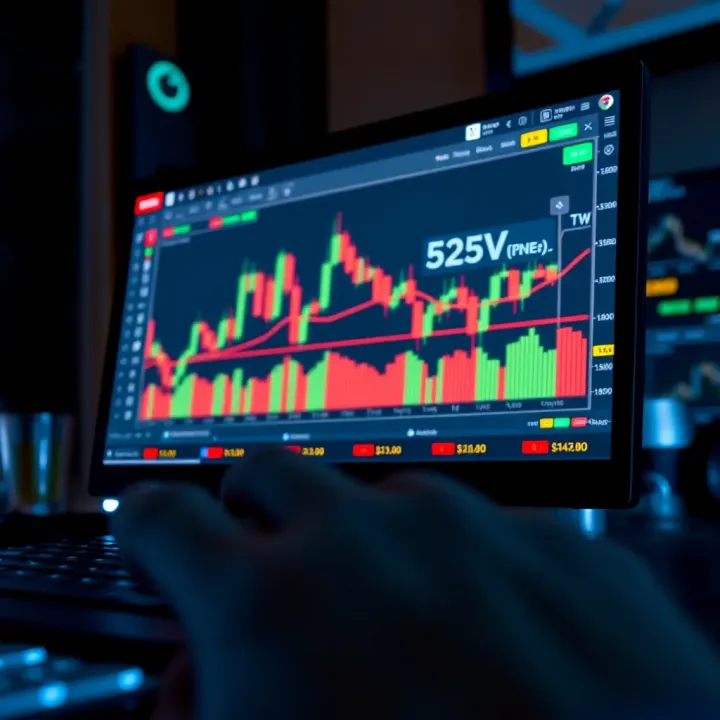
📈 Nigerian traders, learn how to set up and use TradingView on Deriv with handy charting tools and tips to make smarter market decisions easily.
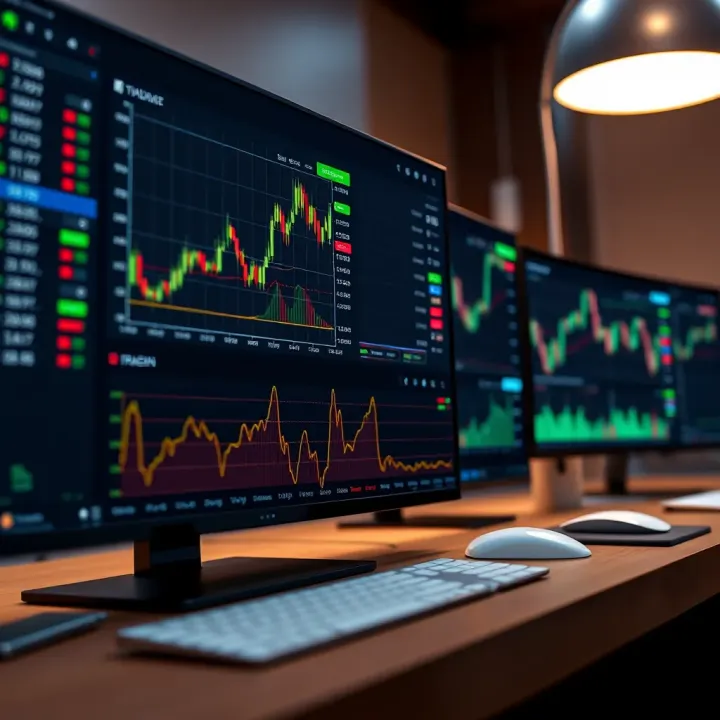
Discover how to integrate TradingView charts into binary options trading platforms for smarter market analysis and decision-making in Nigeria 🇳🇬📈💡
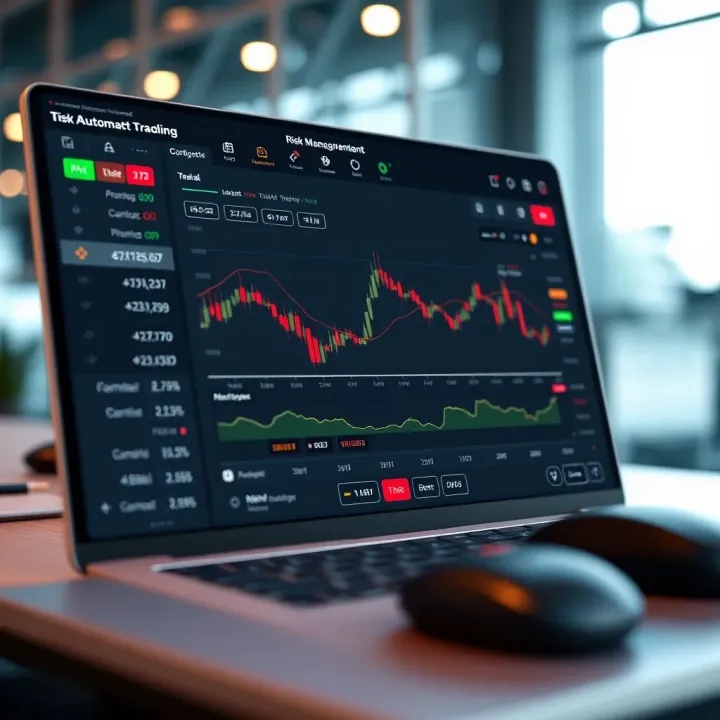
📊 Discover how TradingView & Deriv unite for smarter trading in Nigeria! Learn chart analysis, automate trades, & manage risks effectively. 💹
Based on 11 reviews